How to Get Telegram Channel Chat ID Using @userinfobot
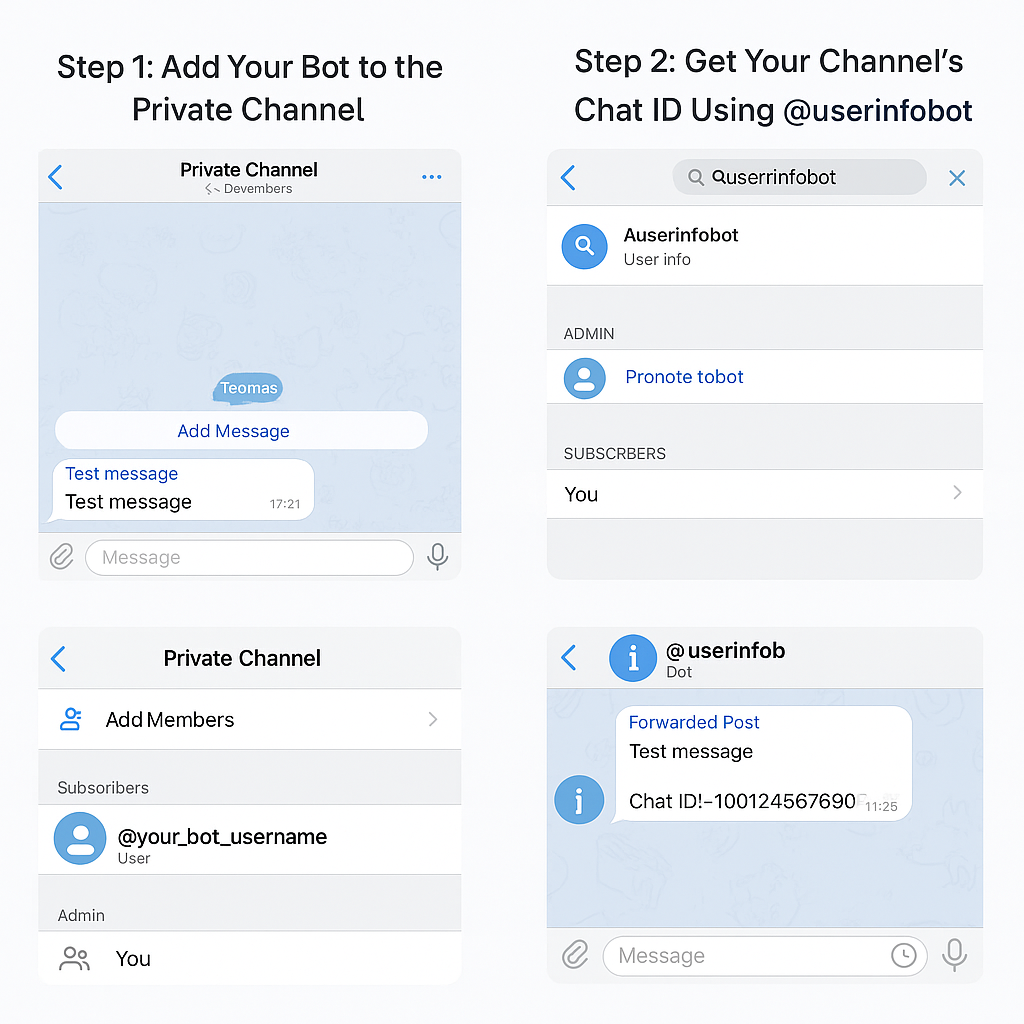
Step 1: Add Your Bot to the Channel
1. Go to your private Telegram channel.
2. Tap “Add Members”.
3. Search for your bot (e.g., @your_bot_name) and add it.
4. Promote it as an admin so it can post messages.
Step 2: Use @userinfobot to Get the Chat ID
1. Open Telegram and search for @userinfobot.
2. Tap Start to activate the bot.
3. Go back to your channel.
4. Forward any message from the channel to @userinfobot.
5. The bot will reply with the channel’s chat ID, which looks like this:
Chat ID: -1001234567890
📌 Make sure to copy the full chat ID, including the -100 prefix — it’s required for sending messages.
🔐 Why Can’t I Forward Messages from My Channel?
If forwarding is blocked:
• Your channel may have “Restrict Saving Content” enabled.
To temporarily allow forwarding:
• Go to Channel Settings > Channel Type > Turn off “Restrict Saving Content”.
• Forward a message, get the ID, then turn it back on.