Getting Started with the Template Editor
1. Navigate to the Template Editor
• From the left-hand sidebar, go to Website Builder.
• This will automatically open the Template Editor in a new browser tab.
2. Create a New Template
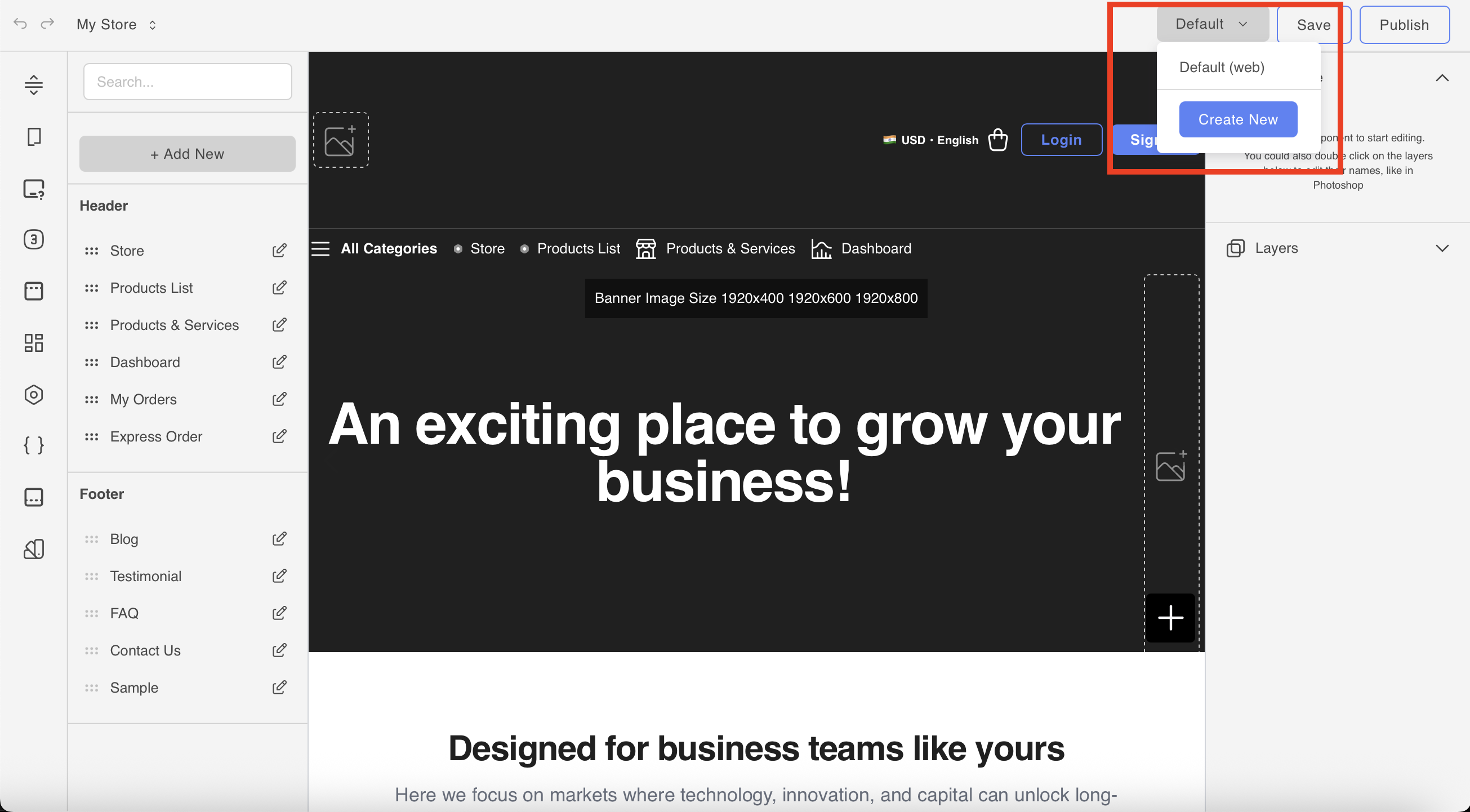
• In the top-right corner, click on “+ Create New”.
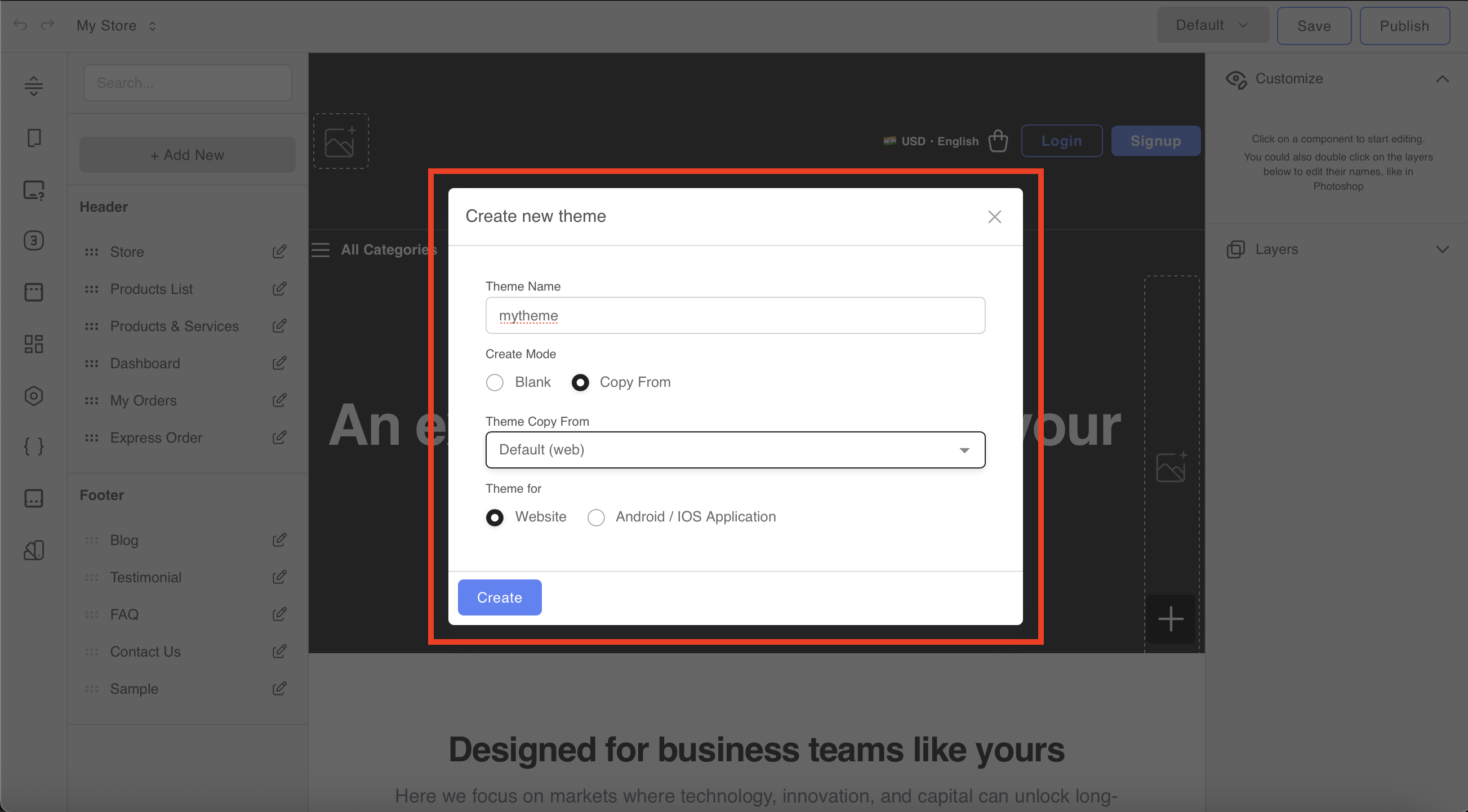
• You’ll have the option to:
• Start from scratch, or
• Copy from a default template to get a head start.
3. Template Editor Overview
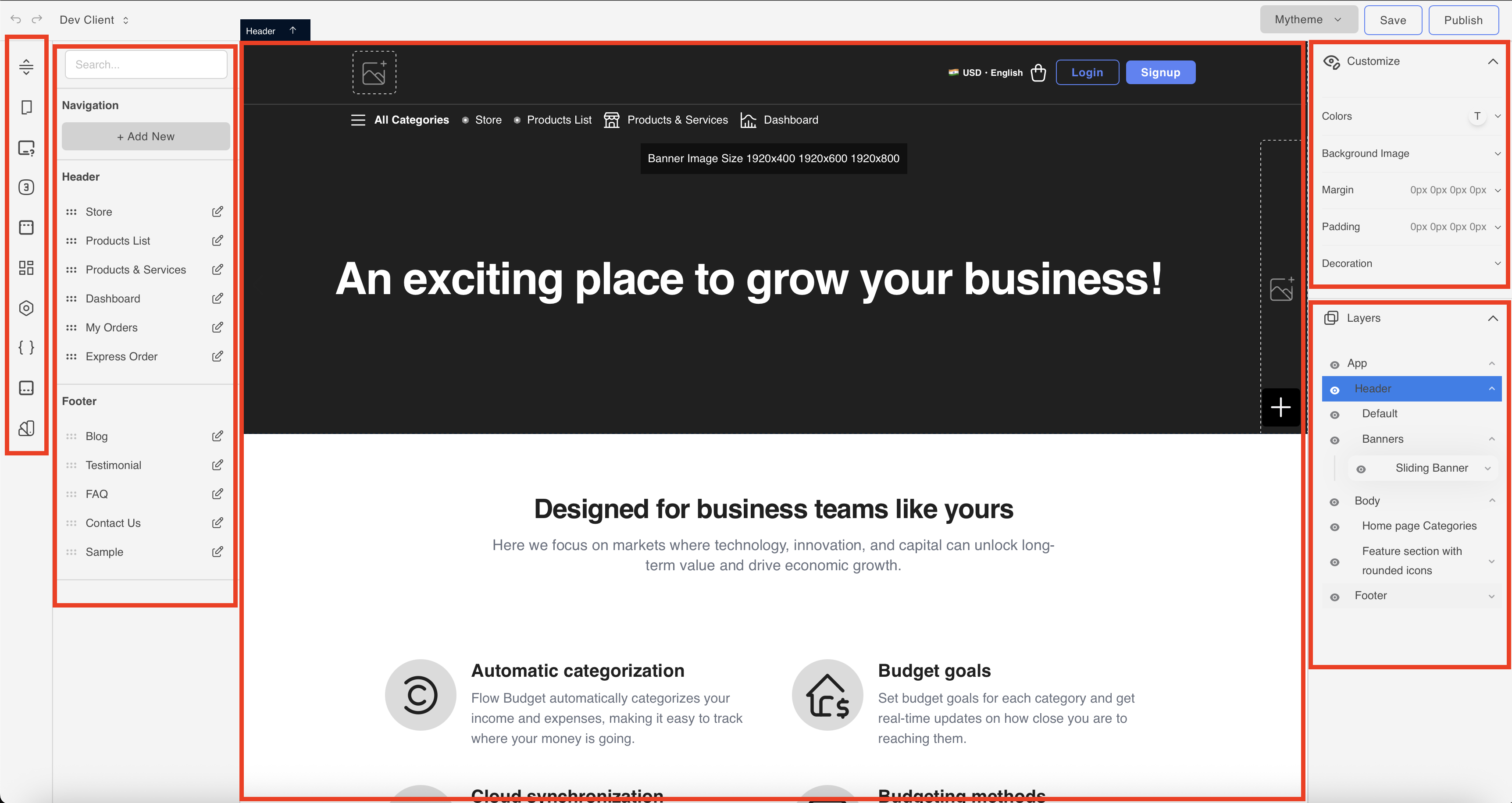
• Use the left sidebar to manage navigation, pages, and add blocks (text, images, products, etc.)
• The center canvas is your live site — drag elements here to build or edit content.
• The right panel lets you customize styles (spacing, background, colors, etc.)
• Use Save or Publish from the top-right once you’re done editing.